There is nothing quite as frustrating as pulling into your driveway after a long day, pressing your clicker, and… nothing happens. Whether you’ve just bought a replacement remote, moved into a new home, or your current opener has simply lost its connection, you need a fix—fast.
The good news is that you often don’t need a technician for this specific task. Learning how to program garage door remote controls is usually a straightforward process that takes less than 15 minutes.
At Browns Garage Door, we believe in empowering our customers with the knowledge to handle simple fixes. However, if you find that programming doesn’t solve the issue, it might be a sign of a deeper mechanical problem requiring professional opener repair.
Below is your complete guide to getting your remote back in sync with your garage door opener.
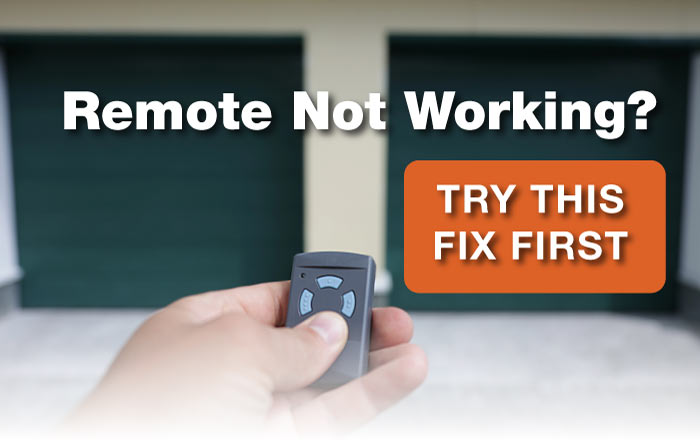
Before You Start: Safety and Preparation
Before you climb any ladders, make sure you have the following ready:
- A sturdy stepladder: You will likely need to reach the motor unit on your garage ceiling.
- The new or existing remote: Ensure it has fresh batteries.
- A flashlight: To help you spot small buttons on the motor casing.
Safety Tip: Ensure your garage door path is clear of obstructions before testing the remote.
Method 1: The “Learn” Button (Modern Openers)
Most garage door openers manufactured after 1993 use a rolling code system for security. This method uses a specific “Learn” or “Smart” button located on the motor unit itself.
Step 1: Locate the Learn Button
Grab your ladder and look at the back or side of your garage door opener motor. You may need to pop off the light lens cover to find it.
The button is typically square or circular and colored Red, Orange, Purple, Green, or Yellow. The color often indicates the frequency your unit uses.
Step 2: Clear Old Codes (Optional)
If you are worried about lost remotes or previous owners having access, you can clear the memory.
Press and hold the Learn button for roughly 10–30 seconds until the LED light goes out.
Note: This disconnects all remotes and keypads, so you will need to reprogram everything.
Step 3: Activate “Learn” Mode
Press and release the Learn button (do not hold it down this time, or you might accidentally erase all codes again).
You will usually see a small indicator light turn on or begin to blink.
Step 4: Sync the Remote
Within 30 seconds of pressing the Learn button, press and hold the button on your handheld remote that you want to use.
Wait for the garage door opener light to flash, or for the unit to make a clicking sound. This signals that the code has been accepted.
How to Program a Chamberlain Garage Door Opener Keypad
Method 2: Dip Switches (Older Models)
If your system was made before the early 90s, or if you are using a universal remote that requires manual configuration, you might be dealing with “Dip Switches.”
Step 1: Open the Remote and Motor
Remove the battery cover from your remote and look for a row of tiny switches (usually 8 to 12). You will need to find the matching set of switches on the garage door opener motor unit.
Step 2: Match the Pattern
Use a small screwdriver to slide the switches on the remote so they exactly match the pattern on the motor unit.
If the motor has a switch set to “On,” the remote must also be “On.”
Step 3: Test
Once they match, press the remote button. If the door doesn’t move, ensure you haven’t put the switches in reverse order (a common mistake with universal remotes).

Troubleshooting: Why Won’t It Work?
If you have followed the steps on how to program garage door remote controls and still have no luck, check these common issues:
- The Lock Button is On: Check your wall-mounted control panel. If the “Lock” button is engaged, the machine will ignore all remote signals for security purposes.
- LED Interference: Some cheap LED light bulbs installed in the opener can emit frequencies that interfere with remote signals. Try temporarily unscrewing the bulbs and testing the remote again.
- Dead Batteries: It sounds obvious, but dead batteries are the #1 cause of remote failure.
If the remote is programmed but the door physically struggles to lift, you may have a broken spring. This is dangerous—do not attempt to fix it yourself. Call a professional for Spring repair or Spring Replacement immediately.
Need Help? Contact Browns Garage Door
Sometimes, technology just doesn’t cooperate. If you’ve tried these steps and are still stuck, or if you suspect your opener itself is failing, Browns Garage Door is here to help.
Family-owned and founded in 1994, we have over 30 years of experience serving Tulare, Kings, and Fresno Counties. Whether you need a simple Door Opener Service, an Emergency Door Repair, or a full Garage Door Installation, we prioritize hard work and integrity in every job we do.
Don’t get stuck in the driveway. Contact us today at (559) 786-0189 for fast, reliable service in Visalia, Hanford, Lemoore, and beyond.
FAQs
Can I program a universal remote to any garage door opener?
Most universal remotes are compatible with major brands (like LiftMaster, Chamberlain, Genie) manufactured after 1993. However, you must check the compatibility list on the packaging, especially if you have a very old dip-switch unit.
Where is the Learn button on my garage door opener?
It is usually located on the back or side of the motor unit, near the antenna wire. If you cannot see it, check under the plastic light cover.
How do I reset my garage door keypad without the code?
You typically need to press the “Learn” button on the motor unit, then enter your new 4-digit PIN on the keypad and press “Enter” within 30 seconds. This overrides the old code.
Why does my garage door remote only work sometimes?
Intermittent operation is often caused by [High Confidence] weak batteries or radio frequency interference (RFI) from nearby electronics. Ensure your antenna wire is hanging down and not tucked inside the motor unit.
Do I need to reprogram my remote after changing the battery?
Usually, no. Most modern remotes retain their memory even when the battery dies. However, if the remote was broken or the motor unit was reset, you may need to follow the programming steps again.